Size analog amplifiers against your specs, with every number traced to the SPICE run that produced it.
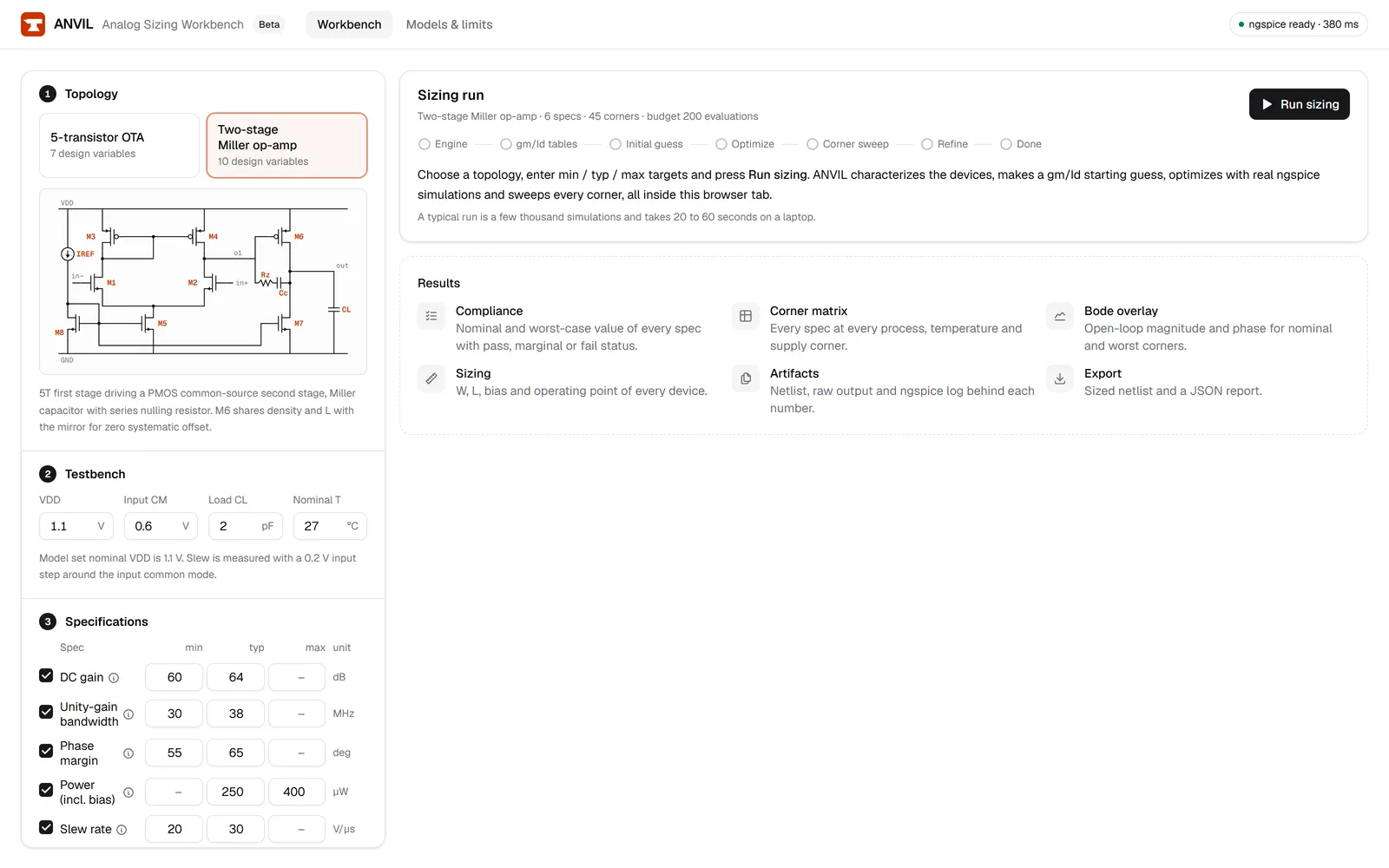
ANVIL is a browser-based sizing workbench for analog IC designers. Pick a 5T OTA or a two-stage Miller op-amp, enter your gain, bandwidth, phase margin, power, slew and swing targets, and an automated loop sizes the transistors with real ngspice simulations, then checks the worst case across process, temperature and supply corners.
No signup, no install. The simulator runs in your browser as WebAssembly.
How it works
Four steps from a spec sheet to a sized netlist you can check line by line.
Pick a topology
Start from a five-transistor OTA or a two-stage Miller-compensated op-amp. Each topology comes with its testbench already wired.Enter your specs
Set min and max limits, and an optional typical aim, for DC gain, unity-gain bandwidth, phase margin, power, slew rate and output swing.Let the loop size it
A gm/Id-seeded optimizer sizes the devices with ngspice at the nominal corner, then the best design is swept across process, temperature and supply corners and refined against any corner that fails.Check the evidence
The compliance table grades the worst-case value of each spec pass, marginal or fail. Click any number to open the netlist and the raw ngspice output that produced it.
What you get at the end of a run
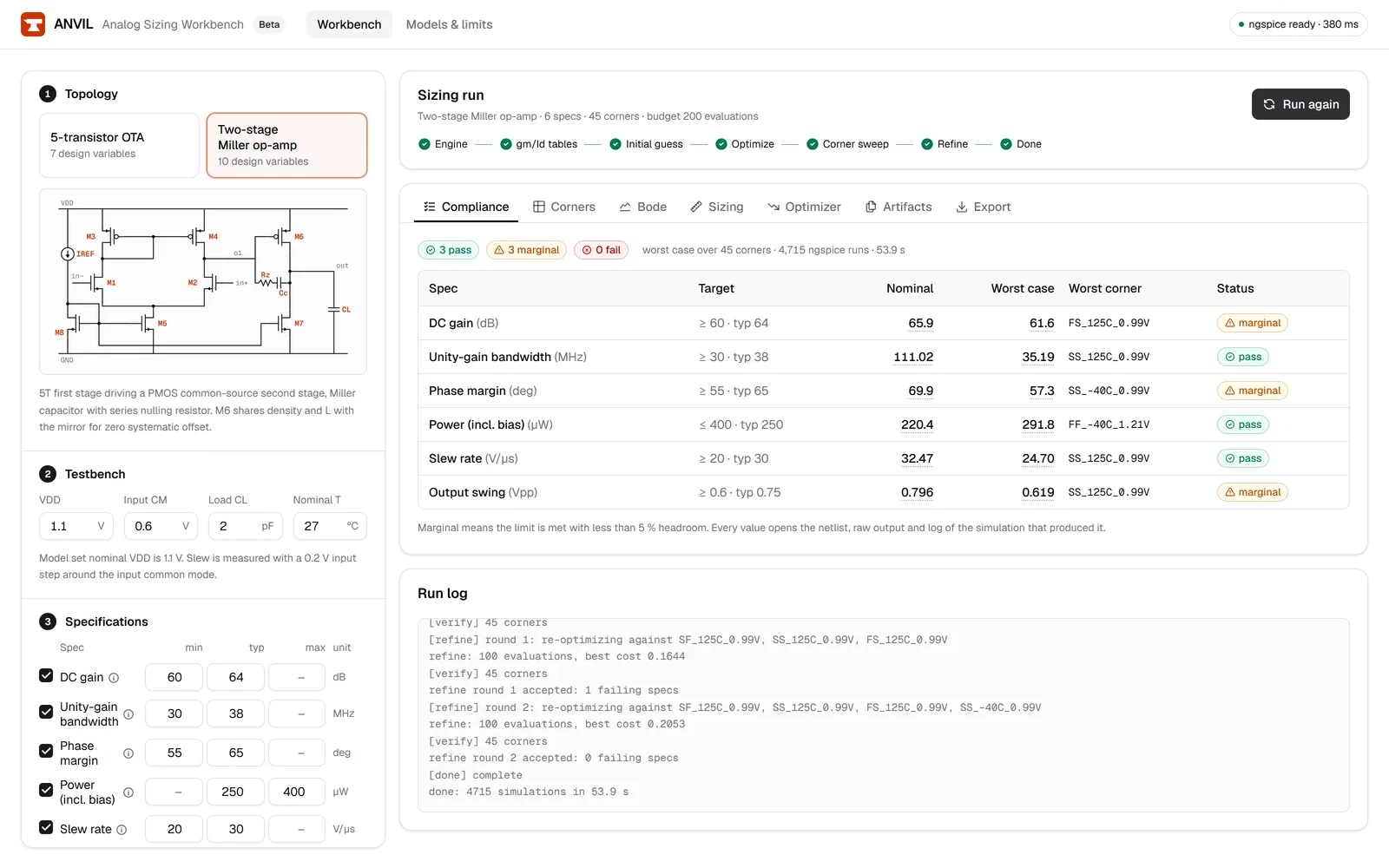
A worst-case compliance table you can audit
One row per spec: the limit, the nominal value, the worst value found across all corners, the corner where it occurred, and a pass, marginal or fail status. Marginal means the spec is met with less than 5% headroom. Each value is a link to the simulation behind it, so a reviewer never has to take a number on trust.
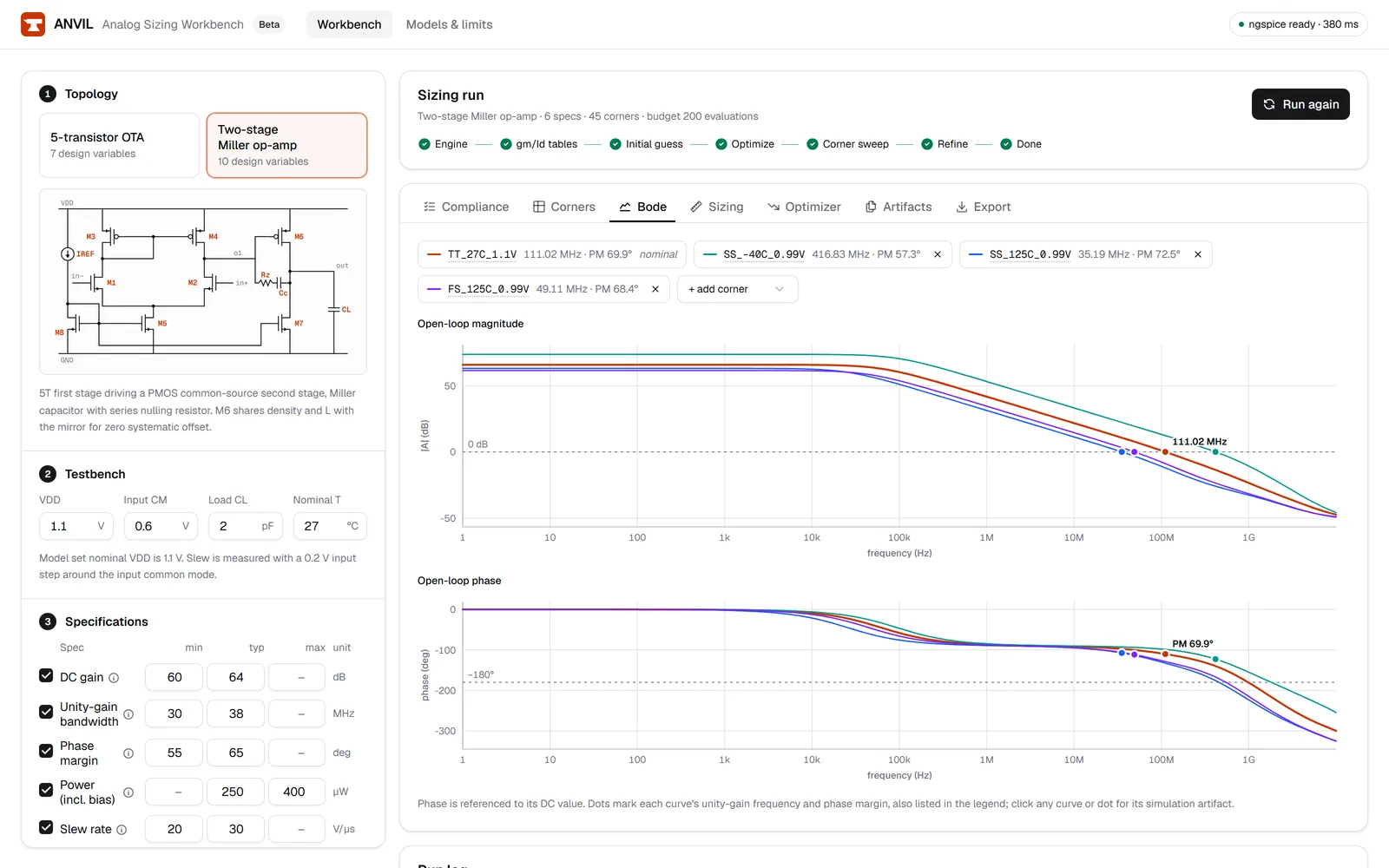
A Bode plot and a sizing table
The open-loop magnitude and phase response of the final design, plus the width and length of every transistor and the bias settings the loop settled on.
Files you can take back to your own flow
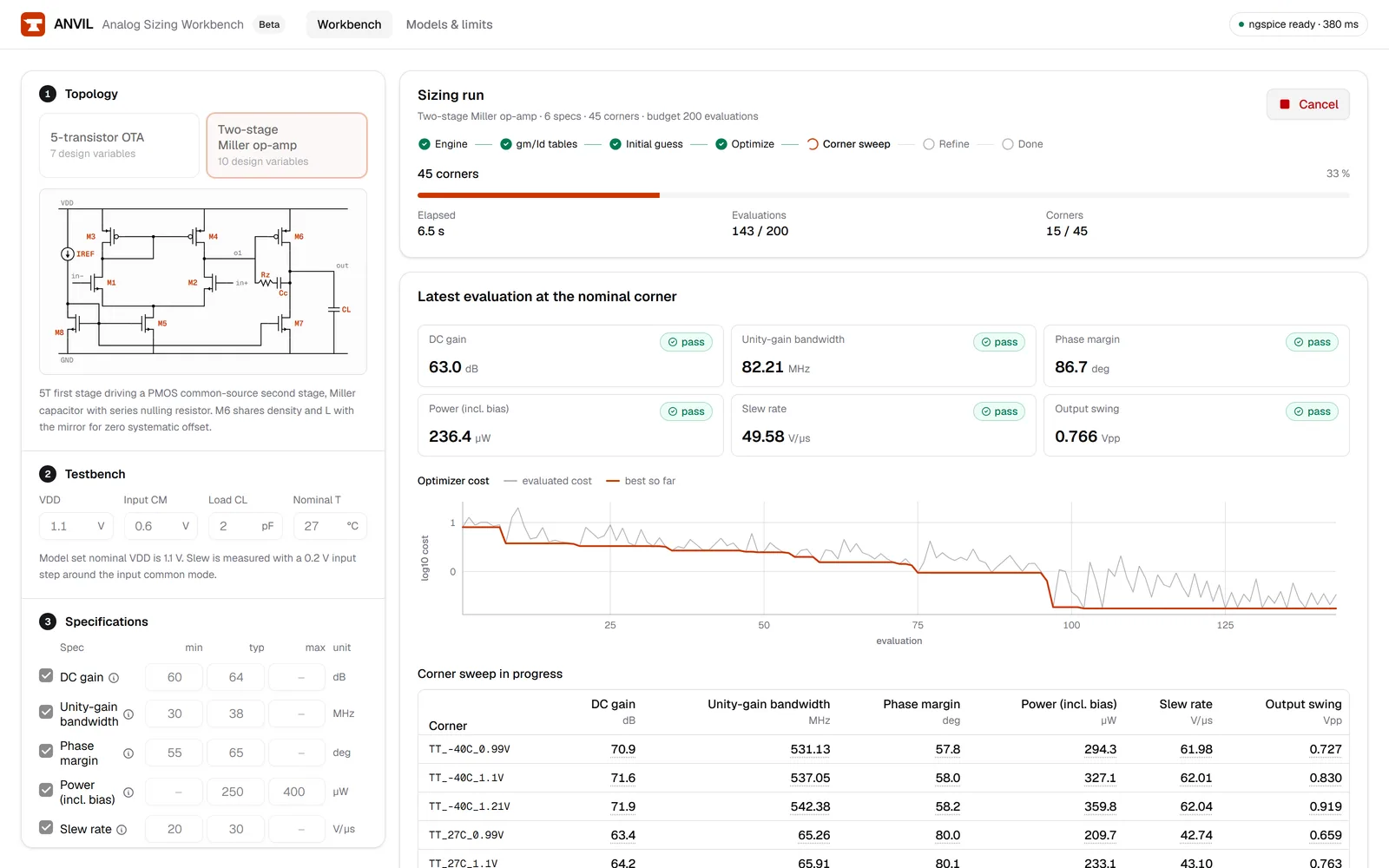
Download the sized ngspice netlist with its measurement checks, and a JSON report with the specs, final device sizes, operating point, optimizer trace and the measured value of every spec at every corner. The run screen shows the optimizer and the corner sweep while they happen.
Who it is for
Analog IC designers
Design reviewers
Engineers comparing topologies
What it is not
ANVIL simulates with open predictive MOSFET models (FreePDK45 PTM 45 nm), not a foundry process design kit, and its process corners are synthetic shifts of those models, not foundry corners. Its results show whether a topology and sizing can meet a spec under those models. They are not a substitute for verification in your foundry's PDK before tape-out. The models section of the docs lists the limits in detail.
Size your first amplifier
Open the workbench, choose a topology, enter your targets and start a run. The whole sizing loop runs in your browser tab.